 START YOUR 7 DAY FREE TRIAL
The 8 Best TikTok Shop Profit Tracking Options in 2026 (and Which One Fits Your Shop)
Quick answer: The best TikTok Shop profit trackers in 2026 are Kixmon (best overall, from $19/month with creator costs and FBT reimbursement finding),
- No FBT or paid creators: Dashboardly is better value, with 1,500 orders on its $29 entry plan versus Kixmon’s 500.
- Inventory planning or agencies: Dashboardly (agency plans from $249/month).
- Shopify plus TikTok Shop: TrueProfit ($29/month TikTok Shop plan).
- Creator outreach in the same tool (US): HiveHQ, with a free plan up to 250 orders.
- Free options to test: Margn (UK and France) and UpProfit.
- Product research, not tracking: EchoTik.
- One product, no creators, no FBT: a spreadsheet still works.
Seller Center shows GMV. It doesn’t show what’s left after referral fees, shipping, affiliate commission, GMV Max spend, refunds, samples and the costs paid outside TikTok (software, retainers, warehousing).
That gap is why profit trackers exist. A profit tracker is software that pulls orders and settlements through TikTok’s API, adds product costs, and produces one net profit figure a seller can act on.
This guide compares eight options on cost coverage, pricing, order allowances, reporting, reimbursement support and customer support. Six are dedicated trackers. The other two (a research tool and a plain spreadsheet) are included because sellers ask about them constantly.
The best TikTok Shop profit trackers at a glance
Prices and trial terms as of 5 November 2026.
| Tool | Best for | Starting price | Free trial / plan | Entry-plan orders |
| 1. Kixmon | Shop P&L with creator costs and FBT reimbursements | $19/month | 7 days, no card | 500/month |
| 2. Dashboardly | Inventory visibility and multi-shop agencies | $29/month (Agency from $249) | 14 days, card required | 1,500/month |
| 3. TrueProfit | Merchants also selling on Shopify | $29/month (TikTok Shop plan) | 14 days, card required | Not published |
| 4. HiveHQ | Profit analytics plus creator outreach (US) | Free; paid up to $399/month | Free plan, no card | 250/month free |
| 5. Margn | Free tier for small UK and EU shops | Free; paid from $19/month | Free plan, no card | 500/month free |
| 6. UpProfit | Free tracker with GMV Max ad sync | Free at review date | Free | Not published |
| 7. EchoTik | Product research with a profit calculator | Free; paid from $13.90/month | Free plan | Not an order-based tracker |
| 8. Spreadsheet | Small shops without creators, GMV Max or FBT | Free to ~$20 one-time | Not applicable | Manual entry |
Sources: each vendor’s official pricing page or public listing. Confirm current prices and trial terms before subscribing.
How to choose a TikTok Shop profit tracker
First, a reality check: a small shop might not need one yet.
Seller Center’s Finances and Earnings analytics reports already show settled revenue, fees, refunds and affiliate commission. For ads, TikTok Ads Manager is also needed, because Seller Center doesn’t show what was actually billed for GMV Max. Ads Manager’s billing view is where spend, credits and the final invoiced amount live.
Add a cost sheet for COGS and shipping, and a single-product shop can get by.
The manual approach breaks once a shop has more than a handful of SKUs, paid creators, GMV Max campaigns or FBT inventory. At that point, three data sources need reconciling by hand every week.
When shopping for a tracker, compare five things:
- Cost coverage: which costs sync automatically (TikTok fees, shipping, affiliate commission, ads, refunds) and which are entered manually (COGS, samples, retainers, software, salaries). Also check how the tool handles a product cost that changes over time.
- Settlement handling: whether recent figures use estimated or settled amounts, and how refunds and non-order adjustments are dated. This causes most “the numbers don’t match Seller Center” complaints.
- Reports: order-level detail, product P&L, shop P&L, creator profitability, and an export an accountant will accept.
- Reimbursements: whether the tool finds money TikTok owes for lost, damaged or miscounted FBT stock and fee overcharges. For FBT sellers, this can be worth more than the subscription.
- Plan fit: markets, order allowances, team seats, trial terms and support channel.
Which tool leads on each criterion
No tool leads on everything. Based on public documentation at the review date:
| Criterion | Leader | Why |
| Cost coverage | Kixmon | Documents fees, GMV Max credits, FBT shipping, off-order adjustments, dated COGS, creator retainers (US) and recurring expenses |
| Settlement handling | Kixmon and Dashboardly | Both document non-order adjustments and ad credits |
| Reimbursements | Kixmon | The only tool here that documents an FBT reimbursement finder |
| Inventory | Dashboardly | The only tool here that documents forecasting and stockout alerts |
| Agency reporting | Dashboardly | Client portal and per-shop reporting |
| Entry-plan value | Dashboardly | 1,500 orders for $29, versus 500 for $19 at Kixmon |
| Trial length | Dashboardly and TrueProfit | 14 days, versus 7 at Kixmon |
| Shopify plus TikTok Shop | TrueProfit | One vendor for both |
| Creator outreach | HiveHQ | Creator database and outreach automation |
| Free plan | Margn | 500 orders/month free (UK and France) |
1. Kixmon (for shop P&L, creator costs and FBT reimbursements)
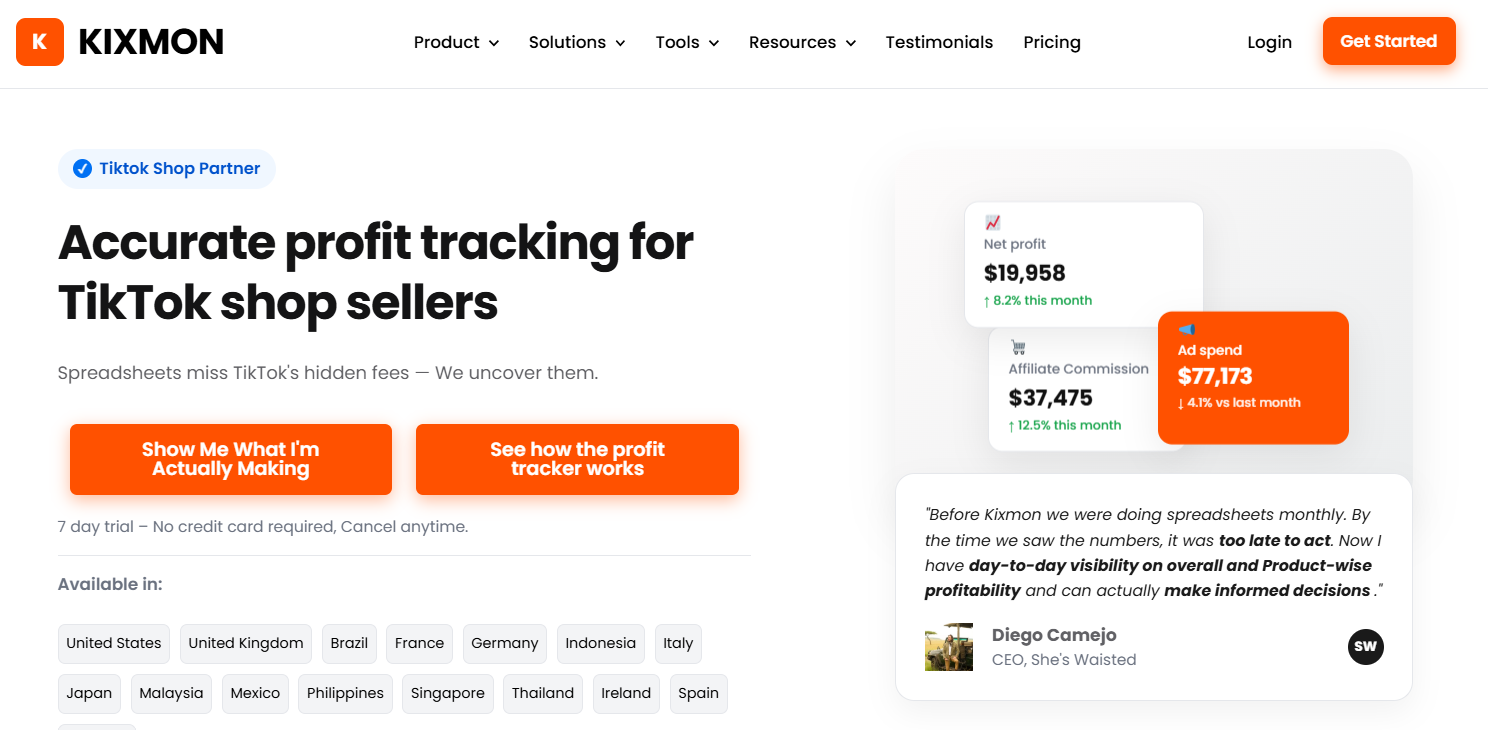
Kixmon has the broadest cost coverage on this list, and it’s the only tool here that documents FBT reimbursement finding.
Kixmon is a profit tracker built only for TikTok Shop. It connects through TikTok’s official APIs to Seller Center, Ads Manager and the Affiliate Center, and supports local seller accounts in 16 markets across the US, UK, EU, Latin America, Japan and Southeast Asia, with VAT settings in each.
- Cost coverage: according to its documentation, 45+ TikTok fee types, GMV Max spend split into spend, credits and billed cost, FBT shipping charges and off-order shop adjustments.
- Dated COGS and expenses: product costs keep the value that applied in each period, and recurring business expenses (software, rent, salaries) are spread across the P&L.
- Creator costs (US shops): retainers and sample costs can be recorded against a named creator, next to that creator’s GMV and ad spend.
- FBT Reimbursement Finder (Pro and Max): lists potential claims for lost or damaged stock, returns and FBT fee differences, with deadlines and status. A done-for-you claims service is also offered.
- AI and API: MCP connectors for Claude and ChatGPT on Pro and Max; REST API on Max. Support is by WhatsApp on every plan.
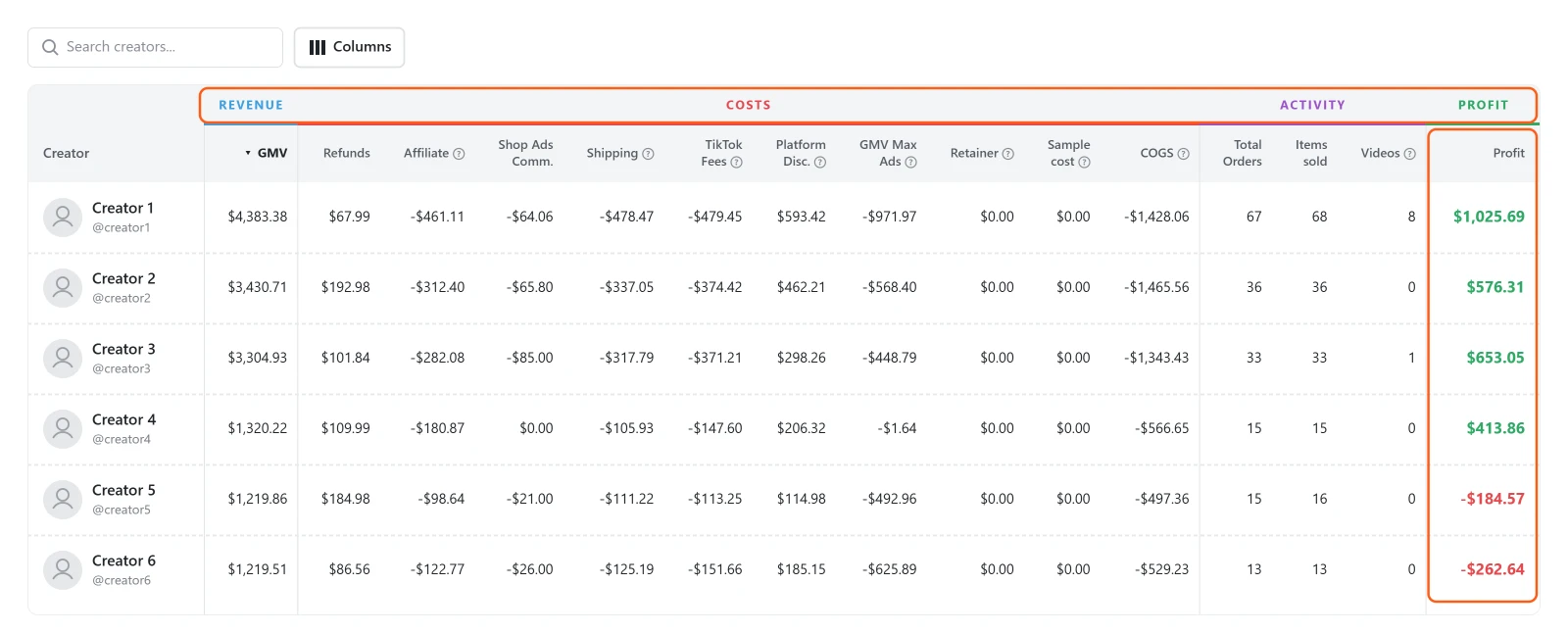
Pricing: Startup $19/month (500 orders), Pro $49/month (2,500 orders), Max $249/month (unlimited). 7-day free trial, no card.
The catch: the trial is half the length of Dashboardly’s and TrueProfit’s, the entry plan allows a third of Dashboardly’s orders, and the FBT Reimbursement Finder isn’t on the $19 plan. Creator reporting is documented for US shops only, and there’s one TikTok Advertiser ID per shop.
Pick Kixmon if the shop runs paid creators, GMV Max and FBT, and needs all of those costs in one profit view.
2. Dashboardly (for inventory and agency reporting)
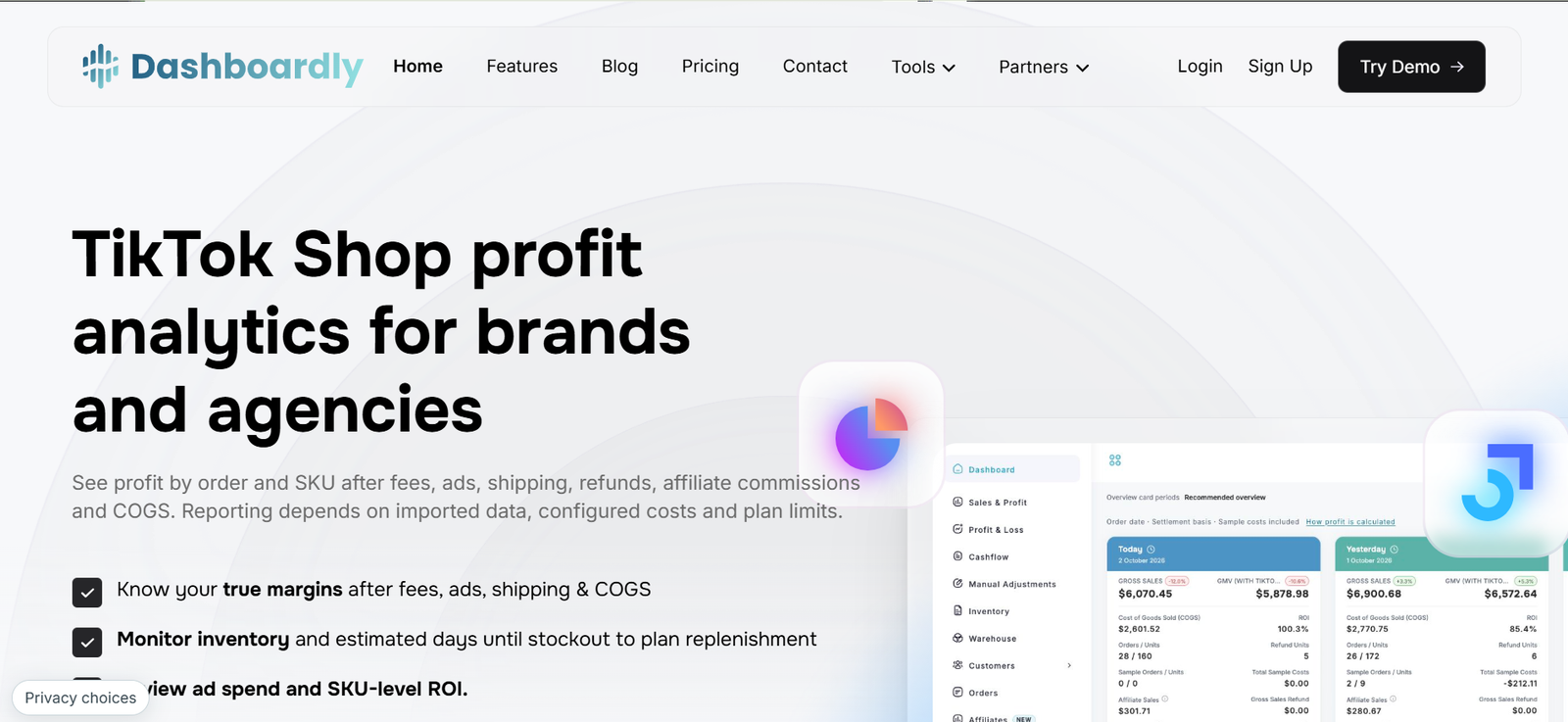
If stockouts are the biggest risk, start with Dashboardly. It’s also the best value entry plan on this list.
Dashboardly is a TikTok Shop reporting platform with profit, product, inventory and payout views. Its documentation covers dated COGS and bulk imports, daily email digests, UK and EU VAT estimates, non-order adjustments and ad credits, affiliate ROI for eligible US shops, and AI assistant connections.
- Inventory forecasting and stockout alerts: the only tool here that documents them.
- Agency setup: a client portal and per-shop reporting, a strong fit for agencies managing ten or more shops.
- Entry-plan value: 1,500 orders on the $29 plan, the most generous paid allowance here.
Pricing: Brand plans at $29, $79, $199 and $399/month. Agency plans from $249/month for up to 10 shops, $399 for 20 and $599 for 40. 14-day trial, credit card required.
The catch: recurring manual expenses are supported, but no workflow for linking a retainer to a named creator was found. It helps review payout discrepancies but doesn’t document filing disputes or finding FBT reimbursement claims. The client portal and REST API have separate approval requirements, and support is email and contact form only.
Pick Dashboardly if inventory planning, agency reporting or a higher order allowance matters more than creator costs or reimbursements.
3. TrueProfit (for sellers who also run Shopify)
For a seller already using TrueProfit on Shopify, it’s the simplest option on this list to evaluate.
TrueProfit started as a Shopify profit app and later added a separate TikTok Shop net-profit product. Its TikTok documentation covers product analytics, affiliate commission rates, custom recurring costs and scheduled email reports.
- One product table: net sales, COGS, ads, affiliate commission, net profit and margin side by side, a clean way to scan margins.
- One vendor for two platforms: Shopify and TikTok Shop under the same provider.
- AI connections: MCP connections to ChatGPT and Claude are documented.
Pricing: TikTok Shop plan $29/month, with Shopify plans priced separately. 14-day trial, credit card required.
The catch: most of TrueProfit’s depth is on the Shopify side. The TikTok Shop product is newer and priced separately, so Shopify features shouldn’t be assumed to apply. The order limit, supported markets and whether MCP covers TikTok data aren’t published, and no reimbursement features are documented.
Pick TrueProfit if Shopify is a big part of the business and one vendor for both platforms is the priority.
4. HiveHQ (for profit analytics plus creator outreach)
HiveHQ is really two products in one subscription, and which half a brand needs decides whether it fits.
HiveHQ calls itself “the Helium 10 for TikTok.” The first half is a profit dashboard tracking GMV, COGS, ad spend and commissions at shop level, with product performance, customer analytics and a CEO-level overview.
- Creator database: according to HiveHQ, 500,000+ TikTok creators filterable by niche and engagement.
- Outreach automation and creator tracker: creator discovery and management in the same tool as profit.
- Managed services: optional, for brands that want HiveHQ’s team to run TikTok Shop operations.
Pricing: five editions from $0 to $399/month. The free plan covers up to 250 orders/month with no card, a low-risk way to try both halves. Managed services are priced separately.
The catch: brands already paying for a creator outreach tool would be paying for overlap. Settlement detail, dated costs and reimbursements weren’t found in its documentation. It’s built for TikTok Shop US, other markets aren’t listed, and few independent reviews existed at the review date.
Pick HiveHQ if a US brand wants creator outreach and profit analytics in one subscription and can accept lighter financial detail.
5. Margn (for a free tier for small UK and EU shops)
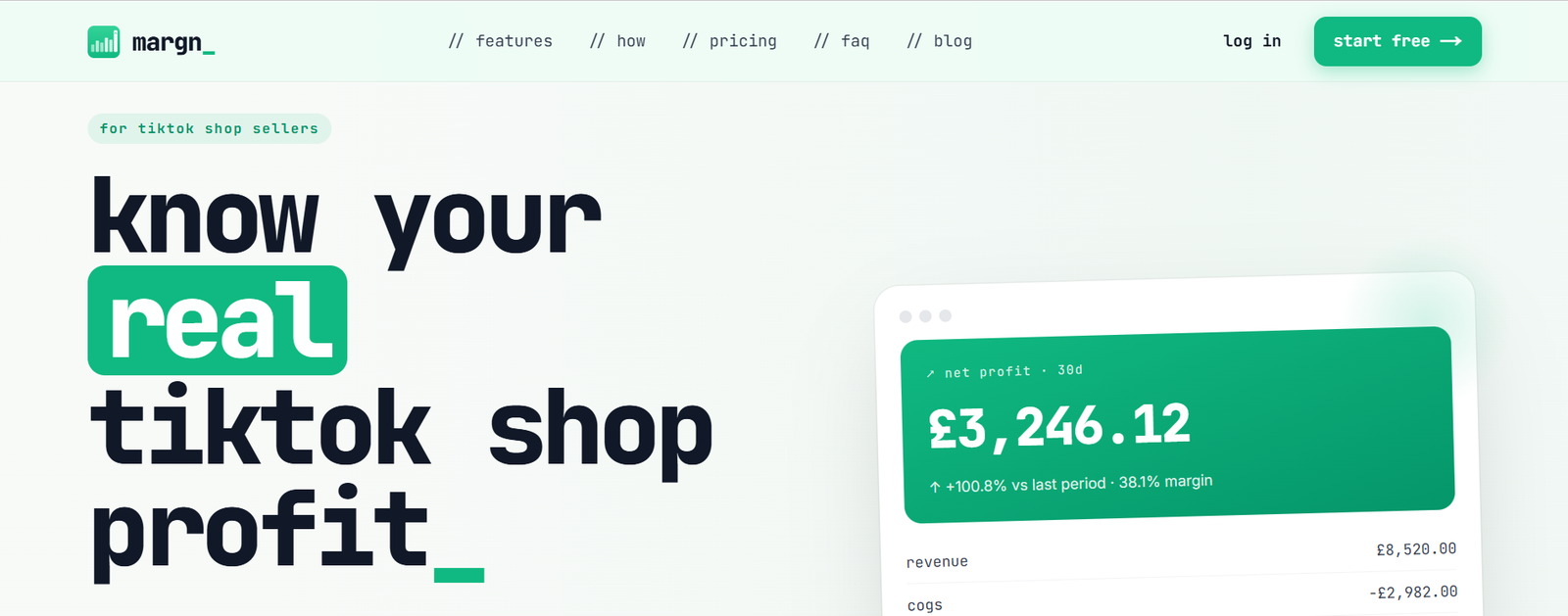
Margn’s free plan is generous: 500 orders a month, the same allowance as some paid entry plans on this list.
Margn is an official TikTok Shop Partner app. It reads orders and settlement figures directly from TikTok, applies cost per SKU, and shows net profit per product and per day.
- Free plan features: profit dashboard, COGS management, CSV cost import and product-level P&L.
- API-connected: orders and settlement figures are read from TikTok, not entered by hand.
Pricing: free plan with 500 orders/month, no card. Paid plans from $19/month.
The catch: it’s a young product. At the review date it was live for TikTok Shop UK and France, with the US listed as coming next. No documentation was found for creator retainers, off-order business expenses or reimbursements.
Pick Margn if a small UK or EU shop wants to try an automated tracker before paying for one.
6. UpProfit (for a free tracker with GMV Max sync)
UpProfit’s main strength is getting GMV Max spend into a free dashboard, which is exactly the cost Seller Center leaves out.
UpProfit syncs TikTok Shop orders, fees and costs, connects to TikTok Ads to pull GMV Max spend, and shows revenue, ad spend and profit in one dashboard. Its founders say it supports sellers across several TikTok Shop markets.
- Ads connection: GMV Max spend alongside shop revenue, at no cost.
- Single dashboard: revenue, ad spend and profit in one view.
Pricing: free at the review date (pricing may change).
The catch: it works best as a free second opinion, not a system of record. No documentation was found for dated COGS, creator costs, business expenses, exports or reimbursements, and paid plans haven’t been published.
Pick UpProfit if a seller wants a zero-cost view of profit after GMV Max spend and can live without P&L exports.
7. EchoTik (for product research, with a profit calculator)
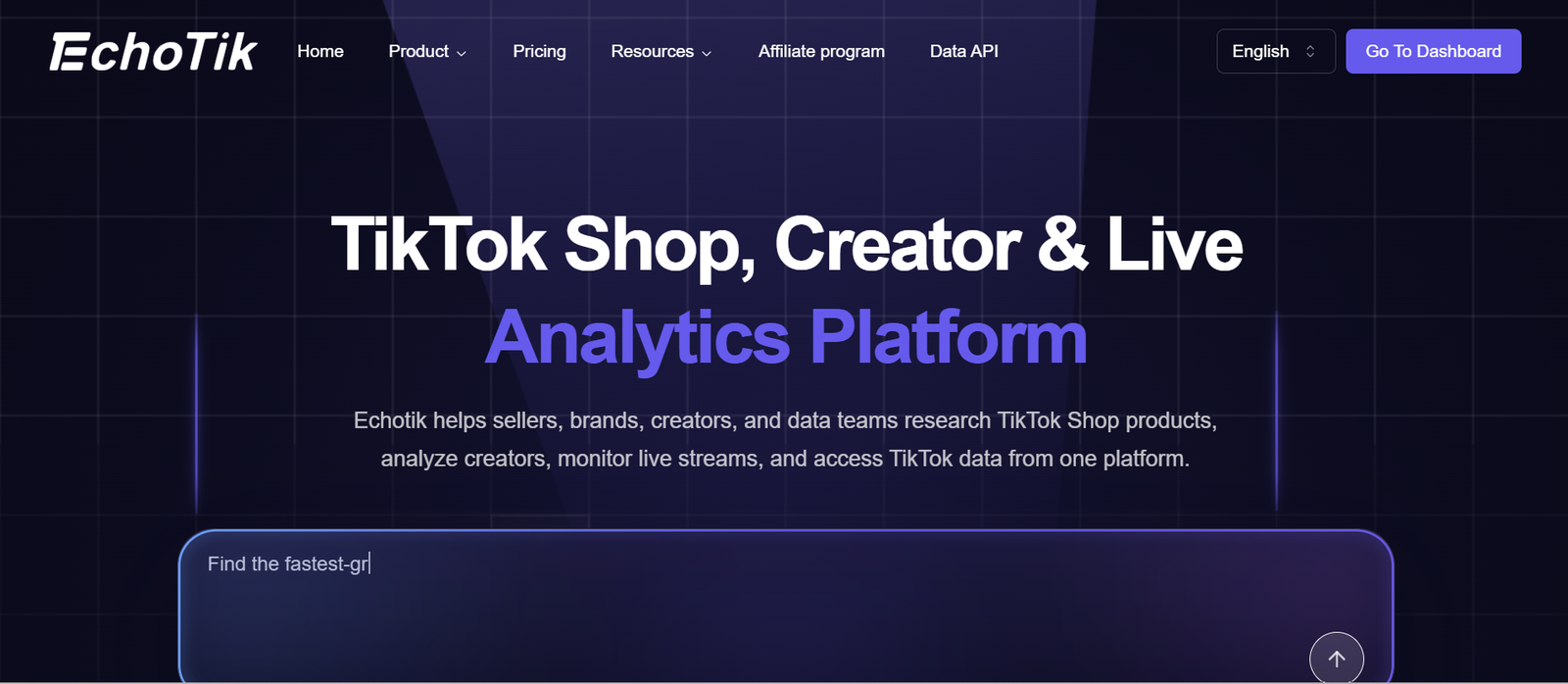
EchoTik isn’t a profit tracker. It’s on this list because sellers keep asking whether it is.
EchoTik is a TikTok Shop market-intelligence tool, in the same category as Kalodata and FastMoss. It tracks products, shops, creators and live streams across markets.
- Research data: product, shop, creator and live-stream tracking for competitor analysis.
- Fee and profit calculator: estimates gross margin from price, cost, shipping and commission before launching a product.
Pricing: free plan; Basic $13.90, Pro $29 and Enterprise $57/month at the review date (lower on annual billing).
The catch: it doesn’t connect to Seller Center, pull orders or reconcile settlements. The calculator helps with pricing decisions, but it can’t show what a shop made last month.
Pick EchoTik if research data and a quick margin estimate are the goal. Pair it with one of the trackers above for actual profit.
8. A spreadsheet (for small, simple shops)
For a new shop with one or two products, a spreadsheet is often the right place to start.
The setup: export Seller Center’s Earnings analytics with Transaction Type set to Order and Date by set to Order settlement time, export the billed cost from TikTok Ads Manager for the same dates, and add columns for COGS and shipping. That’s a working P&L.
- Templates: paid templates on marketplaces like Payhip (around $20 one-time) add fee calculators, breakeven and creator ROI tabs.
- Learning value: building one by hand is the fastest way to understand TikTok’s fee structure.
Pricing: free if built from scratch; around $20 one-time for a template.
The catch: it breaks the day a shop adds paid creators, starts GMV Max, or FBT starts losing stock. Each adds a data source to reconcile by hand every week, and none of it finds reimbursements.
Pick a spreadsheet if the shop has one product, no creators and no FBT.
Side-by-side comparison
| Requirement | Kixmon | Dashboardly | TrueProfit | HiveHQ | Margn | UpProfit | EchoTik | Spreadsheet |
| Connects to Seller Center | Yes | Yes | Yes | Yes | Yes | Yes | No | Manual export |
| GMV Max ad spend and credits | Yes | Yes | Yes | Spend yes; credits not documented | Not documented | Yes | Not applicable | Manual |
| Dated COGS | Yes | Yes | Not documented | Not documented | Not documented | Not documented | Not applicable | Manual |
| Recurring business expenses | Yes | Yes | Yes (custom costs) | Not documented | Not documented | Not documented | Not applicable | Manual |
| Creator retainers linked to a creator | Yes (US shops) | Not documented | Not documented | Not documented (has creator tracker) | Not documented | Not documented | Not applicable | Manual |
| FBT reimbursement finder | Yes (Pro, Max) | Not documented | Not documented | Not documented | Not documented | Not documented | Not applicable | Not applicable |
| Inventory forecasting | Not documented | Yes | Not documented | Not documented | Not documented | Not documented | Not applicable | Manual |
| Creator outreach / creator database | Not documented | Not documented | Not documented | Yes | Not documented | Not documented | Creator research only | Not applicable |
| AI assistant (MCP) | Pro, Max | Yes, eligibility applies | Yes; TikTok data coverage not published | Not documented | Not documented | Not documented | Not documented | Not applicable |
| REST API | Max | Approval required | Not documented | Not documented | Not documented | Not documented | Yes (research data) | Not applicable |
| P&L export | Yes, all plans | Yes | Yes | Not documented | Not documented | Not documented | Not applicable | Yes (the sheet is the P&L) |
| Markets | 16 | US, UK, EU | Not published | US | UK, FR | Several | Global research | Any |
| Support | WhatsApp, email | Email, contact form | Email, chat | Email, managed services | Email, chat | None |
“Not documented” means the feature wasn’t found in public documentation at the review date, not that it doesn’t exist. “No” is used only where a tool’s design rules a feature out.
How to test a profit tracker during the trial
Run the same six checks in every tool on the shortlist, using a month the shop already knows well:
- Pick one familiar product and one closed month. Enter its real COGS with the correct date, and check that the historical margin matches expectations.
- Connect ads. Check that GMV Max spend, credits and billed cost appear on the right dates.
- Add one paid creator. Enter commission, samples and any retainer, then check where each amount shows up.
- Trace one refund and one FBT charge. Confirm whether figures are estimated or settled, and on which date.
- For FBT shops, open the reimbursement view (where one exists). Count the claimable cases and compare the total to the subscription price.
- Export the P&L and send it to whoever does the books.
Frequently asked questions
What is the best TikTok Shop profit tracker?
It depends on the shop. Kixmon covers the most costs and is the only tool here that documents FBT reimbursement finding, which suits shops running paid creators and FBT. Dashboardly is better value for shops without those, and leads on inventory and agency reporting. TrueProfit suits Shopify sellers, HiveHQ adds creator outreach for US brands, and Margn and UpProfit are the free options to test first.
How much does a TikTok Shop profit tracker cost?
From free (HiveHQ up to 250 orders, Margn up to 500, UpProfit) to $19–$29/month for entry plans (Kixmon $19, Dashboardly $29, TrueProfit $29), rising to $199–$399/month for high-volume or agency plans. Entry plans differ in order allowances and features, so compare the plan the shop would actually need.
Kixmon vs Dashboardly: which is better?
Kixmon documents creator retainers (US shops), FBT reimbursement finding and WhatsApp support. Dashboardly documents inventory forecasting and agency client reporting, and gives three times the orders on its entry plan, plus a longer trial. Running the same month through both trials is the clearest way to decide.
Which TikTok Shop profit trackers are free?
HiveHQ has a free plan up to 250 orders/month (US). Margn has a permanent free plan up to 500 orders/month (UK and France at the review date). UpProfit was free at the review date. EchoTik’s free plan is a research tool with a calculator, not a tracker.
Can a profit tracker find TikTok Shop FBT reimbursements?
Of the tools reviewed, only Kixmon documents this, on its Pro and Max plans. It lists potential claims for lost or damaged stock, returns and fee overcharges, with deadlines. Amounts shown are potential claims; payment depends on TikTok’s review.
Can TikTok Shop profit be analyzed in ChatGPT or Claude?
Yes, through MCP connections documented by Kixmon (Pro and Max), Dashboardly (eligibility applies) and TrueProfit (coverage of TikTok data not published).
Which trackers support UK and EU sellers?
Kixmon documents 16 markets, including the UK, Ireland, Germany, France, Spain and Italy. Dashboardly covers the US, UK and EU, with VAT estimates. Margn is live in the UK and France. HiveHQ lists only the US.
What access does a profit tracker need to a TikTok Shop?
Trackers that connect to Seller Center use TikTok’s authorization flow, so the connection is approved inside TikTok without sharing a password. Before connecting, check which data the tool requests, whether it can change anything or only read data, and how to revoke access.
Why does profit change after the month closes?
Refunds, adjustments and FBT charges often settle after the sale date, and estimated shipping is replaced by settled amounts, so good trackers update past figures. A common case: a refund on an older order settles today. A tracker that books refunds by settlement date shows it today, while a Seller Center view grouped by Order paid time doesn’t. Check that both views use the same date basis and include the same costs before treating a difference as a sync error.

I’m Muhammad Ali, the founder of Kixmon LLC. I started Kixmon to make life easier for TikTok Shop sellers who struggle to track their real profits. With my experience in eCommerce and digital tools, I wanted to build a platform that clearly shows sellers how much they’re earning after all costs, fees, and commissions. My goal is simple: help sellers understand their numbers in real time so they can make smarter decisions and grow their business with confidence.